Color planes
ChannelPlane(state, x, y) picks two channels of one space at once, holding the space's others,
so with a ChannelSlider for the rest and an AlphaSlider it makes a full picker.
| Plane | Preview |
|---|---|
HSLChannelPlane(state, Hsl.S, Hsl.L) |
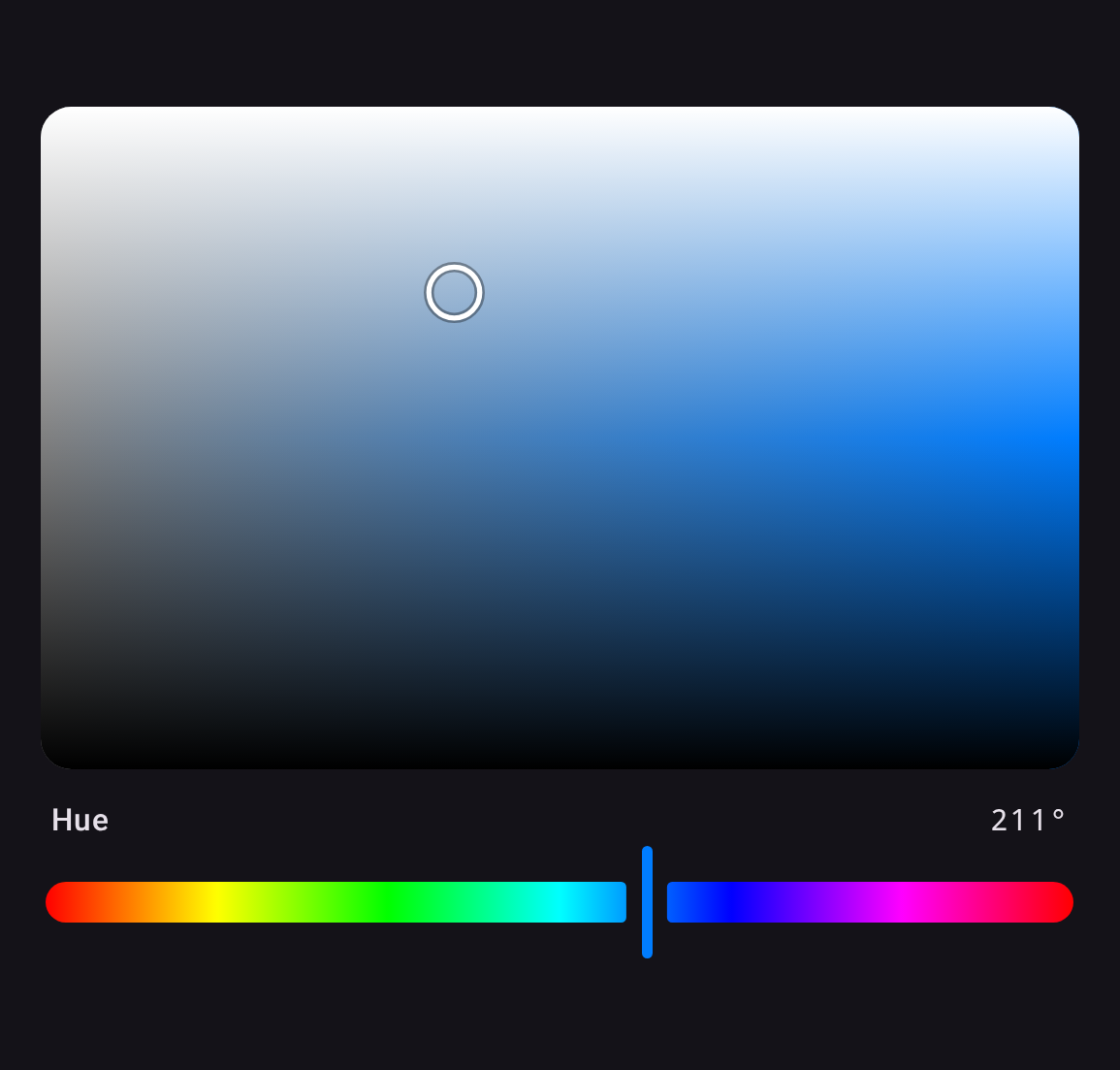 |
OkhslChannelPlane(state, Okhsl.S, Okhsl.L) |
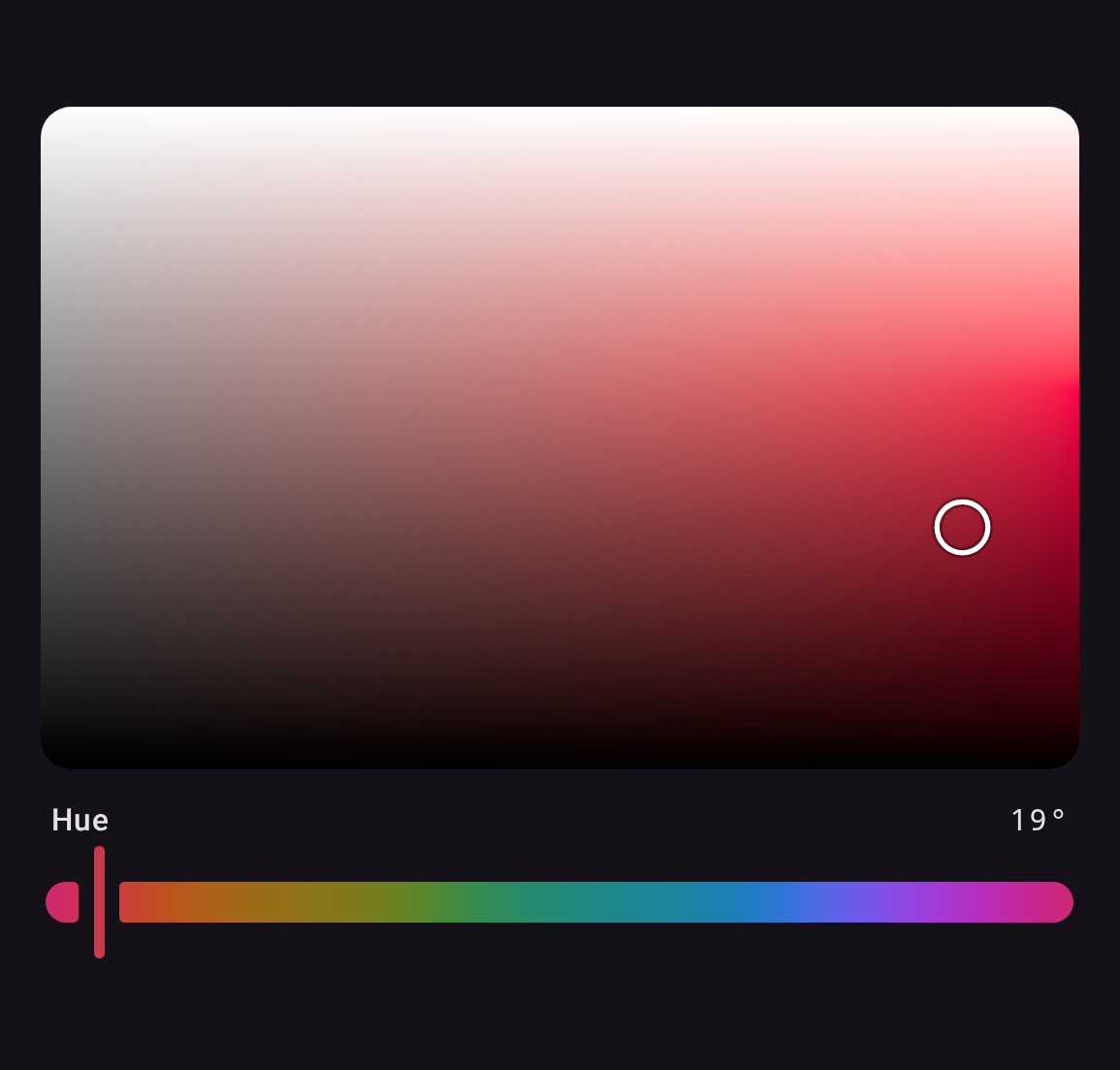 |
OkhsvChannelPlane(state, Okhsv.S, Okhsv.V) |
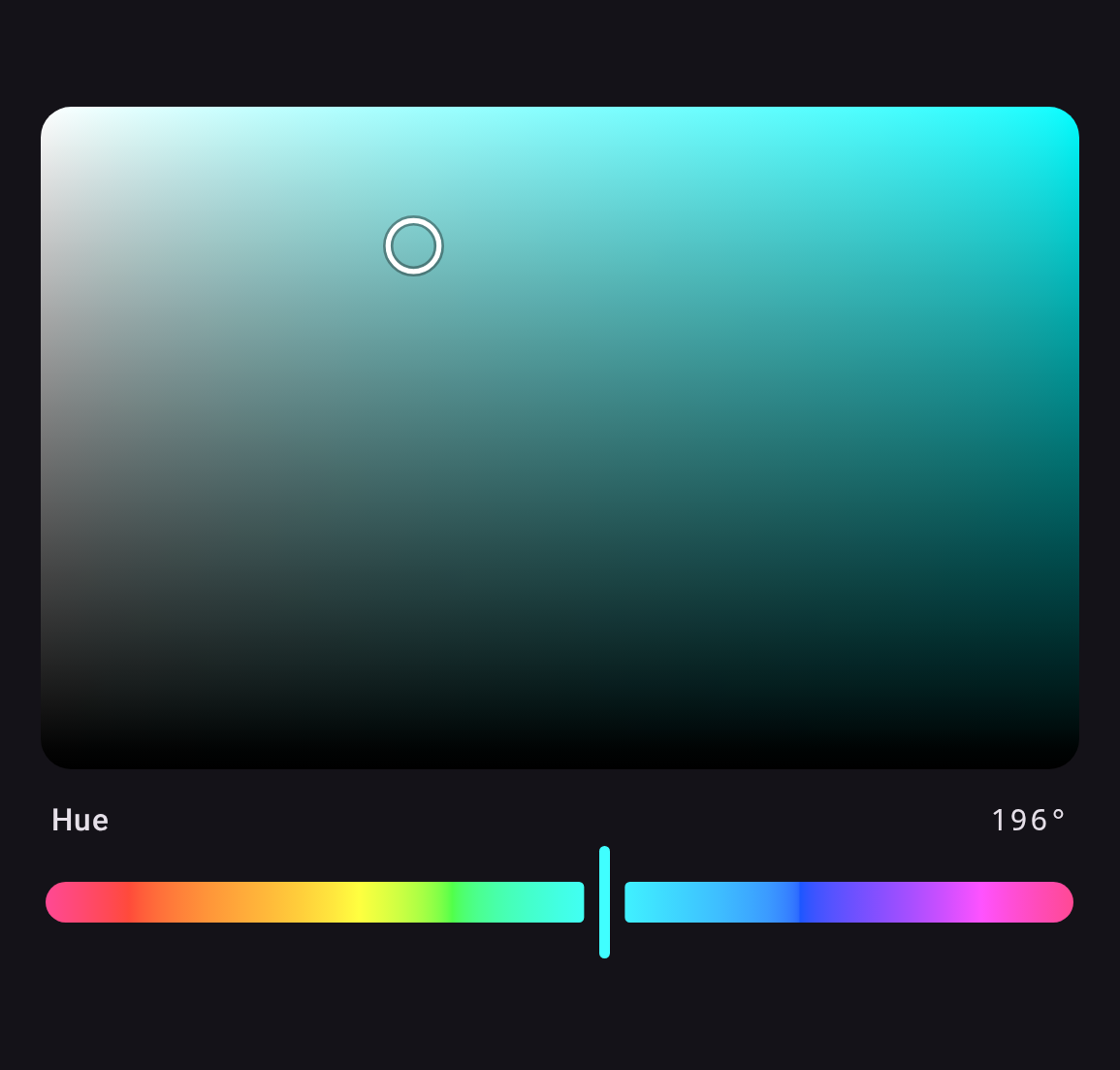 |
val state = rememberColorPickerState(ColorValue.parseCss("#9BB7D4"))

ChannelPlane(state, Hsl.S, Hsl.L, Modifier.fillMaxWidth().height(220.dp))
ChannelSlider(state, Hsl.H)
x runs left to right and y bottom to top, each over its channel's reference range.
How a plane is drawn
HSL's S × L and HSV's S × V are drawn exactly, with two gradients. HSL's is a horizontal
grey-to-hue ramp under a white / transparent / black overlay: the color at lightness L is the
mid-lightness color blended toward white by 2L-1 above the middle and toward black by 1-2L
below it, which is what compositing the overlay computes. Every other pair has no such identity,
so it is sampled on a grid, measured for each of the library's planes, and drawn scaled. The grid
is rebuilt off the main thread when a held channel changes, except on the web, where it shares the
one thread with input and yields to it every few rows.
LocalPlaneRendering decides how. PlaneRendering.Fast, the default, shares the rows among up to
four threads, builds Okhsl's S × L as two smaller grids that meet on its crease, and draws each
sample where its grid is measured. PlaneRendering.Canonical is the reference it is tested against.
The surface is not mirrored in right-to-left layouts, unlike the sliders. It maps a color space rather than showing progress.
Keyboard and screen reader
A plane is reachable without a pointer. It takes focus — by tab or by being pressed — and the
arrow keys move each channel by its step, or its pageStep with Shift held. An arrow it cannot
use, because that edge is already reached, is passed on, so focus can still leave on a device
driven by a D-pad alone. The focus ring is drawn only while the input mode is keyboard, so a
finger that took focus by pressing the surface does not leave one behind. A screen reader has no
gesture for two degrees of freedom, so each direction is offered as a named action instead,
stepping by pageStep because an action menu has no modifier key to hold:
ChannelPlane(
    state = state,
    x = Hsl.S,
    y = Hsl.L,
    actionLabels = PlaneActionLabels(          // read aloud, so localize them
        increaseX = "Sättigung erhöhen",
        decreaseX = "Sättigung verringern",
        increaseY = "Helligkeit erhöhen",
        decreaseY = "Helligkeit verringern",
    ),
)
Passing null drops the actions and leaves the plane readable but not adjustable.
Custom position indicator
thumb replaces the position indicator. It reads the plane's InteractionSource from its scope —
which carries focus as well as drag, so a replacement can mark keyboard focus the way the default
indicator does, with a second ring — and, on a ChannelPlane, the channels and the color under it: