Channel sliders
ChannelSlider(state, channel) is a slider for one channel of any space, and AlphaSlider(state)
one for alpha. Compose any set of them against a shared state:
ChannelSlider(state, Okhsl.H)
ChannelSlider(state, Oklch.C)                       // 0 to 0.4, CSS's reference range
ChannelSlider(state, Oklch.C, range = 0.0..0.2)     // a narrower track
ChannelSlider(state, Srgb.R)
AlphaSlider(state)
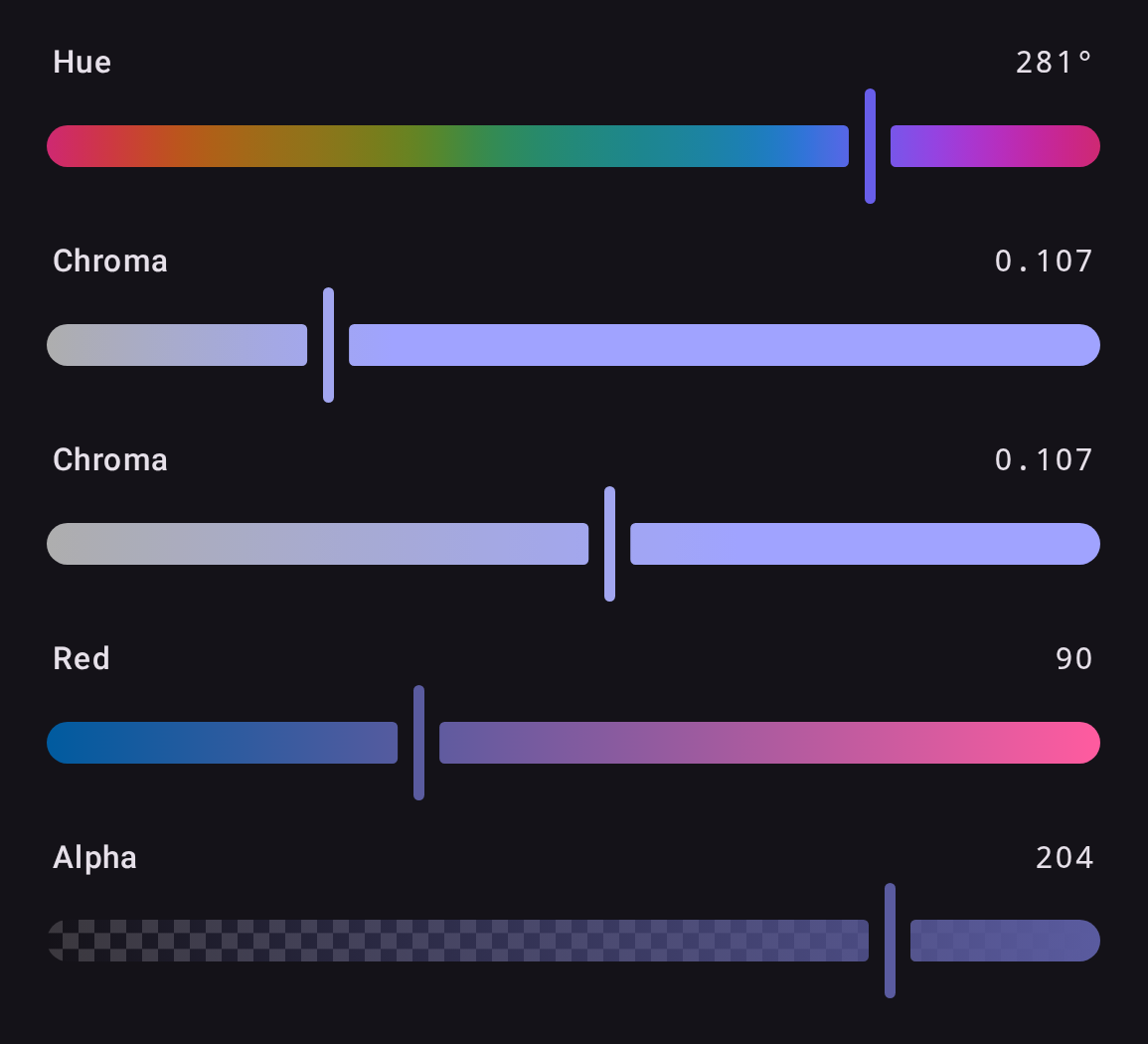
- The thumb sits at the channel's displayed value, so a grey's hue slider shows the hue last
chosen. A value outside
range, such as OkLCh chroma 0.5 or extended sRGB, pins the thumb to that end while the label keeps its true number; it changes only when the user moves the slider. Contextualdraws each point of the track as the color the slider would make there;Independentholds the other channels at clear colors of middle lightness. Either way the track is computed in the channel's space and brought into sRGB by chroma reduction.- Left and Right move by the channel's
stepand Page Up and Page Down by itspageStep: a degree and ten on a hue, 1/255 and 17/255 on an RGB channel, 0.001 and 0.01 on OkLCh chroma. Home and End jump to the ends ofrange, and Up and Down are left for moving focus. A screen reader steps bysteptoo. AlphaSlideredits alpha alone and keeps the color's space. A missing alpha reads 0, as CSS readsnone.
Labels and semantics
Sliders expose slots and semantics for customization:
ChannelSlider(
    state = state,
    channel = Hsl.H,
    label = { ColorPickerDefaults.SliderLabel("Farbton") },          // leading label slot (null to hide)
    valueLabel = { ColorPickerDefaults.SliderValueLabel("200°") },   // trailing value slot (null to hide)
    semanticLabel = "Farbton",                                       // accessibility label
    semanticValueText = "200 Grad",                                  // accessibility value announcement
)
A slider's thumb slot replaces the thumb outright: see Custom slider thumb.